
Everything Buddy does.
All of it runs on your own network. No cloud, no account, no subscription.
Watch every printer at once
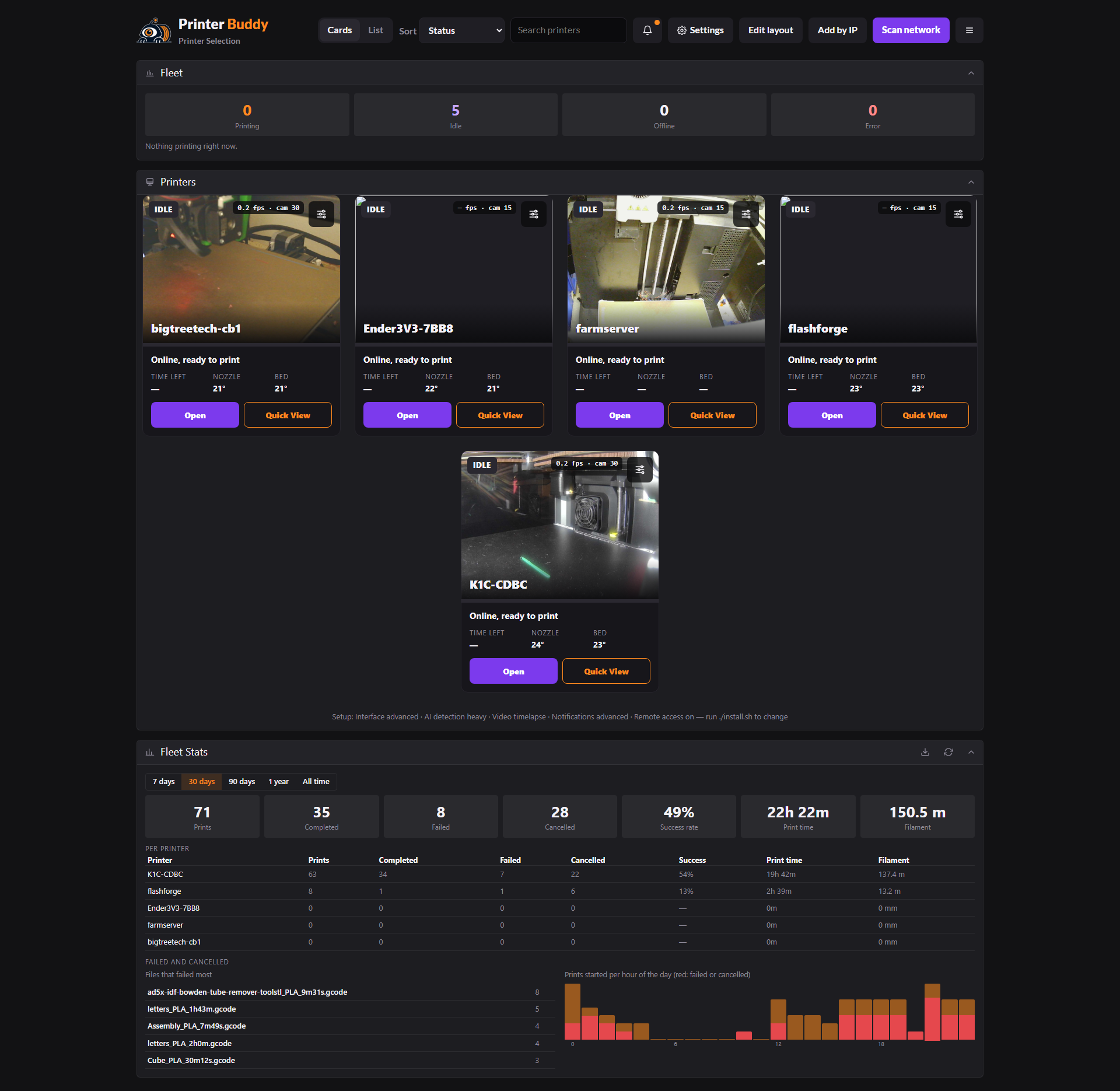
- Printer cards with the live camera, state, file, progress, time left and temperatures. Sort, search, group, or switch to a compact list.
- Fleet shows how many printers are printing, idle, offline or in error, and which one finishes next.
- Fleet Stats adds up prints, success rate, print time and filament, and shows where prints fail. Download it as CSV.
- Quick View opens any printer in a pop-up, and the camera wall shows every camera at once.
- Edit layout puts the panels you want where you want them.
Run each printer like you're standing next to it
- Camera in full screen, with zoom up to 8 times.
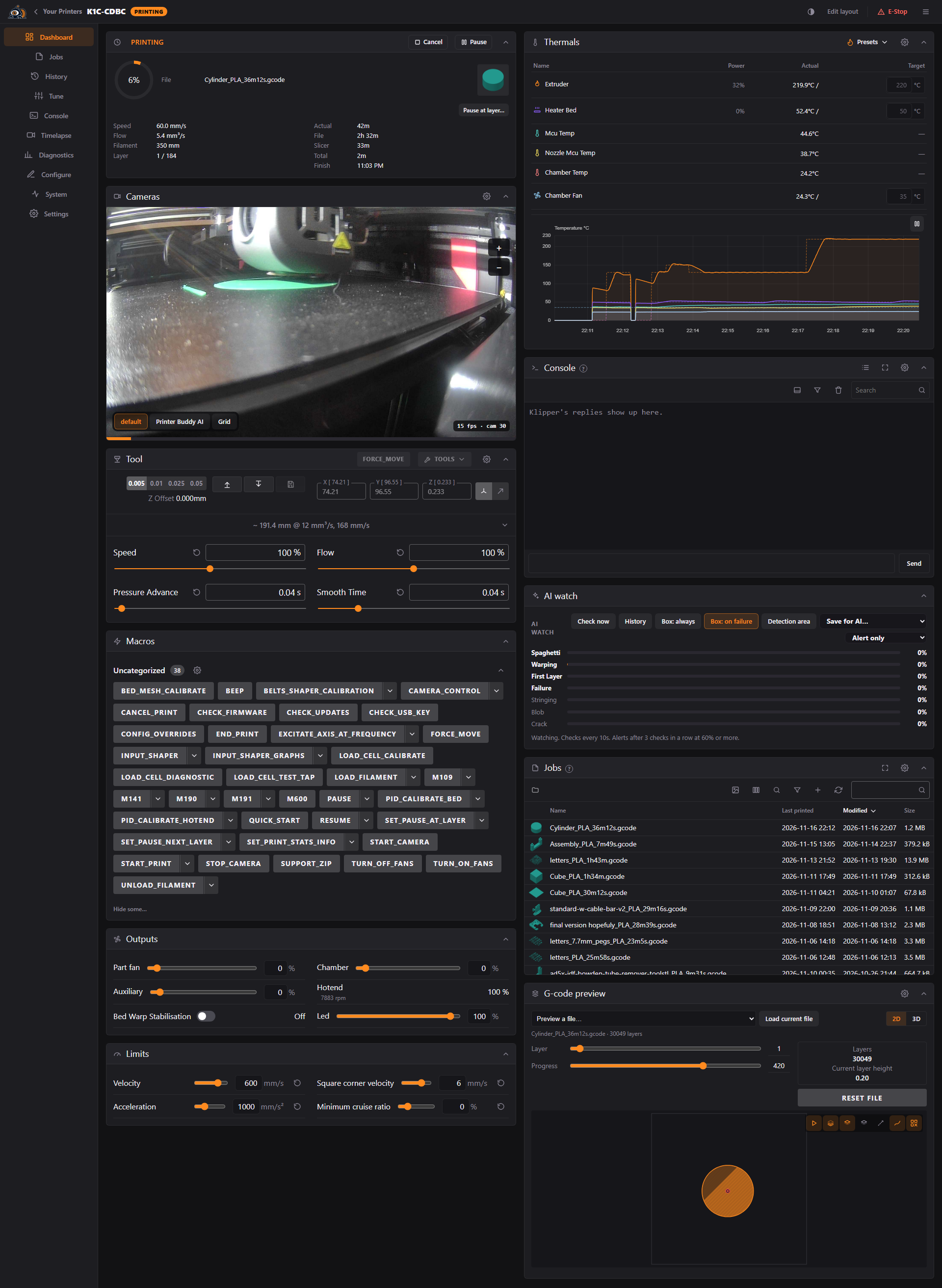
- Start, pause, cancel and re-print, with progress, layer, speed, flow, filament and finish time.
- Tool: move and home, extrude and retract, fine-tune the Z offset live, and change speed, flow and pressure advance mid-print.
- Temperatures with presets (PLA, PETG, ABS or your own) and a history chart.
- Macros as buttons, in groups you choose. Lock risky ones while printing.
- Console with suggestions for every command and macro, Tab completion, search and filters.
- Jobs and a job queue: print, queue, preview, download, rename and remove, with total filament, time and finish time.
- G-code preview in 2D or 3D, following the print layer by layer.
- Skip a failed object: click it on the preview and the rest of the plate keeps printing.
- Plate check warns you if the last print is still on the bed.
Tune and look after it
- Bed mesh in 3D with your saved profiles, end stops, runout sensors, Beacon and manual probe.
- Config files with an editor, and a Save config button that shows exactly what will change before it's written.
- Errors you can act on: Klipper's error with restart buttons and logs right there, and Bambu errors in plain words.
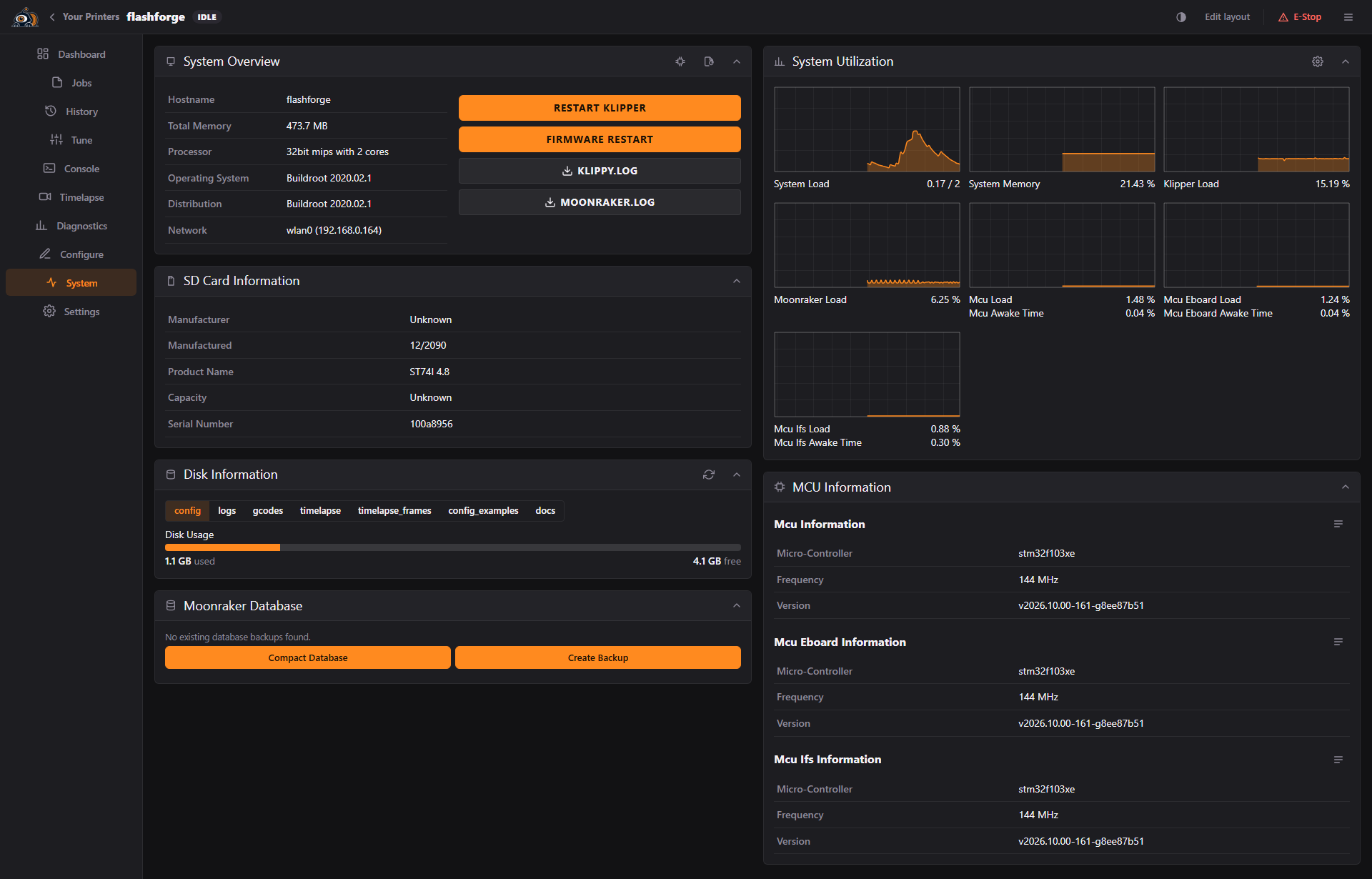
- System: the printer's computer, disk space, SD card, database backups, load charts and every MCU.
- Diagnostics: live charts of any Klipper value, and a viewer for every Klipper object.
- History of every print, with statistics, notes, CSV export and one-click reprint.
AI failure detection
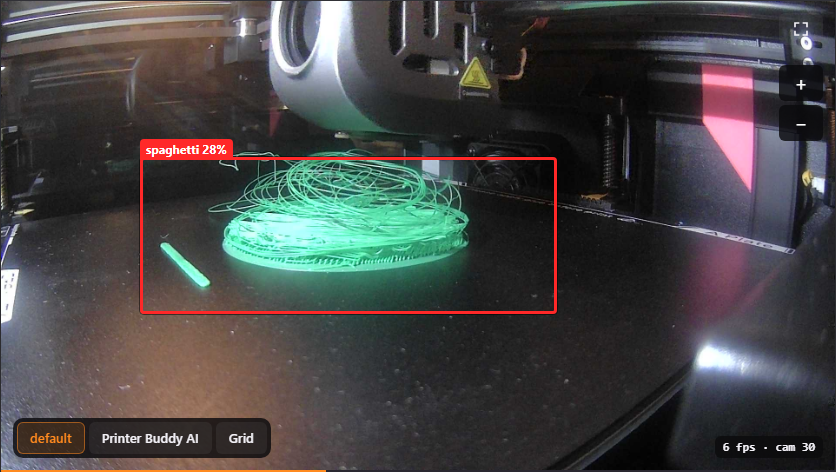
- Watches the camera during prints and spots spaghetti, warping, first-layer problems, stringing and blobs.
- Alert only, or alert and pause the print, per printer. A box on the camera shows where the problem is.
- Three models: lite for the smallest hosts, basic for a Pi, and heavy for a PC or GPU. Every model release is scored on the same set of test photos.
- Tune how sensitive it is, set a detection area to ignore clutter, and see the score history of every print.
- Your answers to "was it really a failure?" can help train it.
Hear about it wherever you are
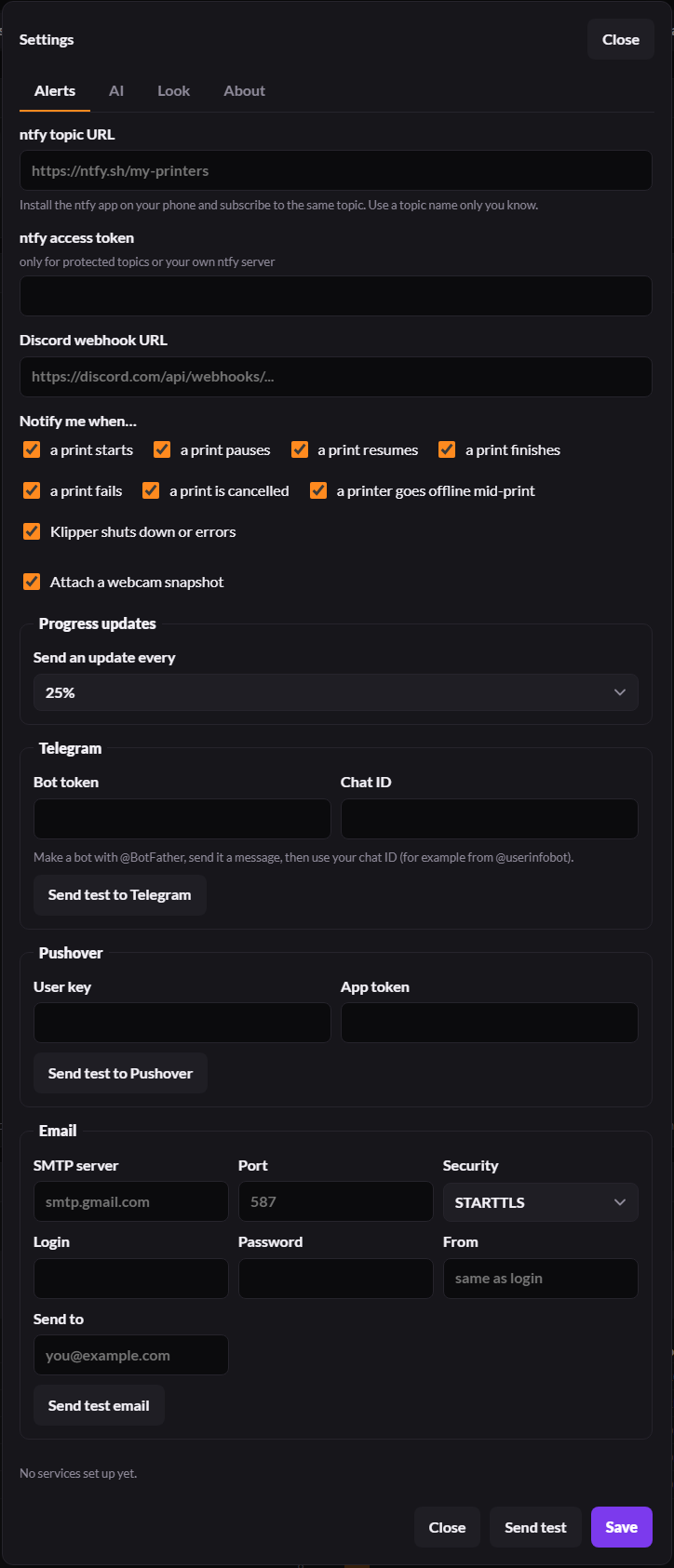
- ntfy, Discord, Telegram, Pushover and email.
- Started, paused, resumed, finished, failed, cancelled, offline, Klipper shutdown and AI alerts, with a camera snapshot.
- Progress updates, for example at 25%, 50% and 75%.
Share it
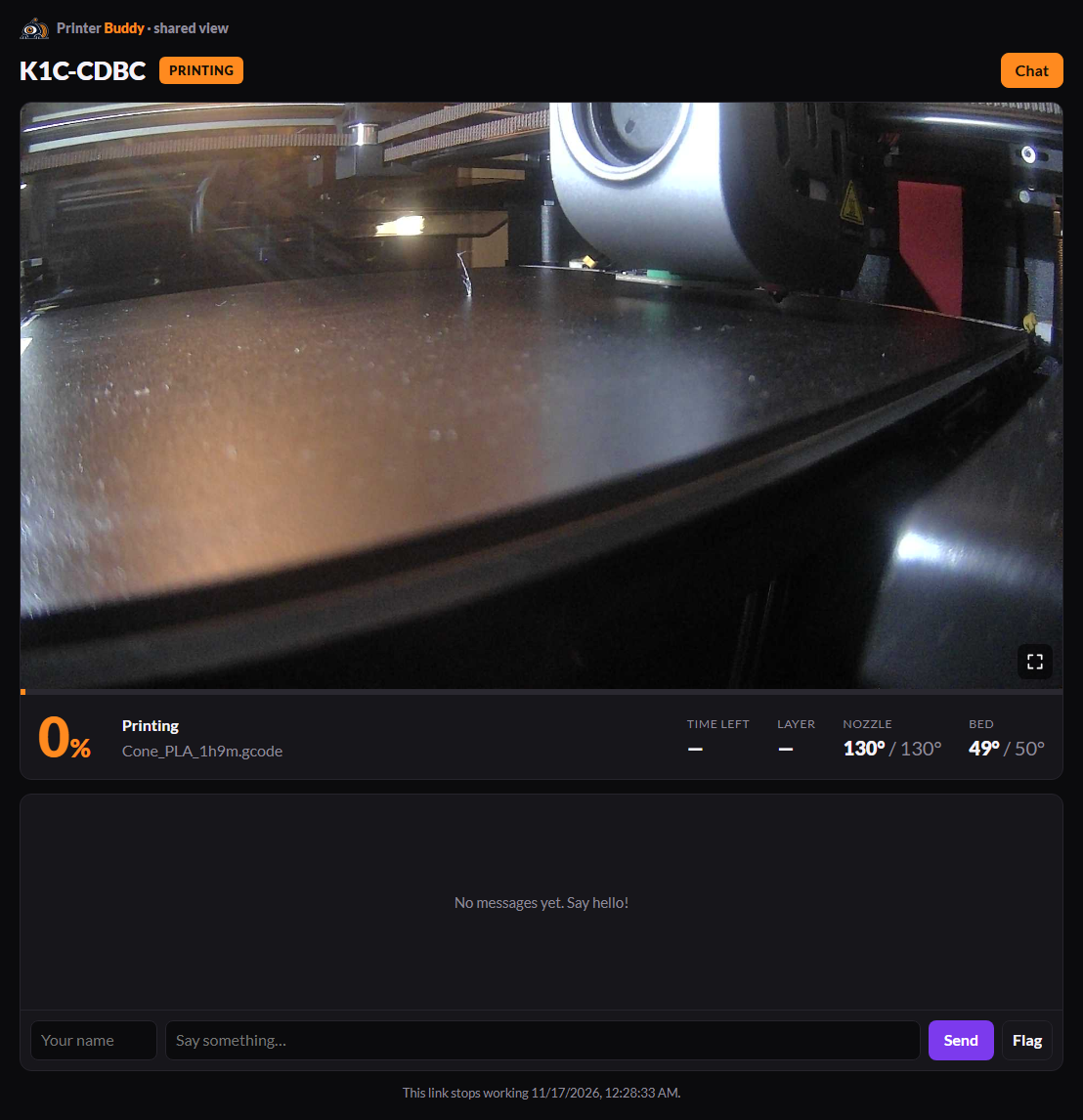
- Share links to a printer's live camera and progress, for an hour, a day, a week, until the print ends, or until you turn them off. Viewers need no account.
- Works from anywhere through Printer Buddy's relay, without opening ports on your router.
- Live chat with viewers, with flags, blocked words and alerts so you stay in control.
Timelapses
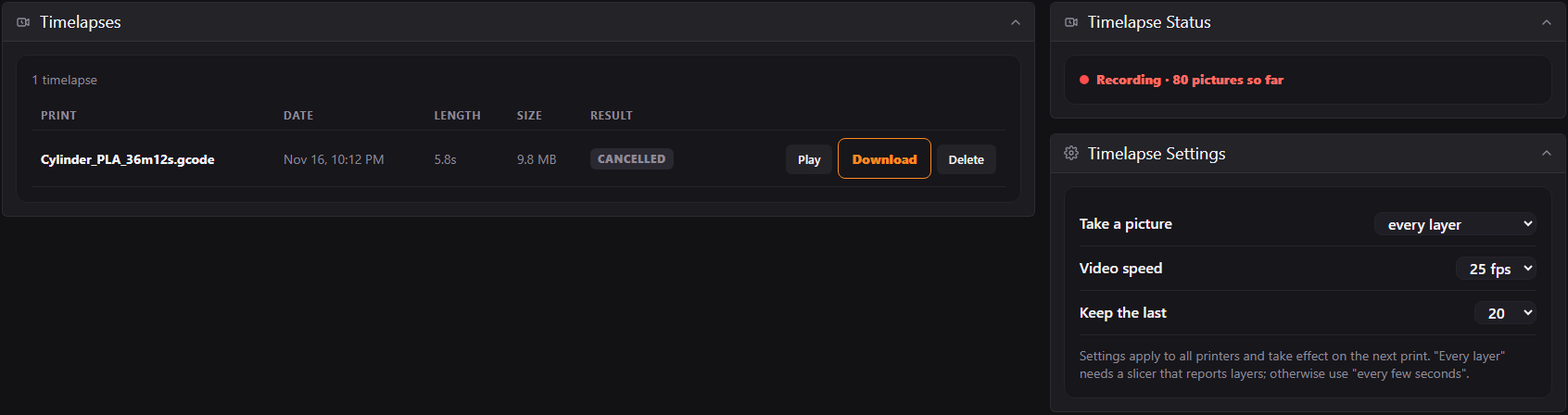
- One frame per layer or every few seconds, turned into a video when the print ends.
- Watch, download or delete them from the printer's page.
Easy to set up and keep up to date
- A guided installer: on the printer's own host or on a separate one, with a simple or a full interface.
- Its own camera streamer can replace Crowsnest.
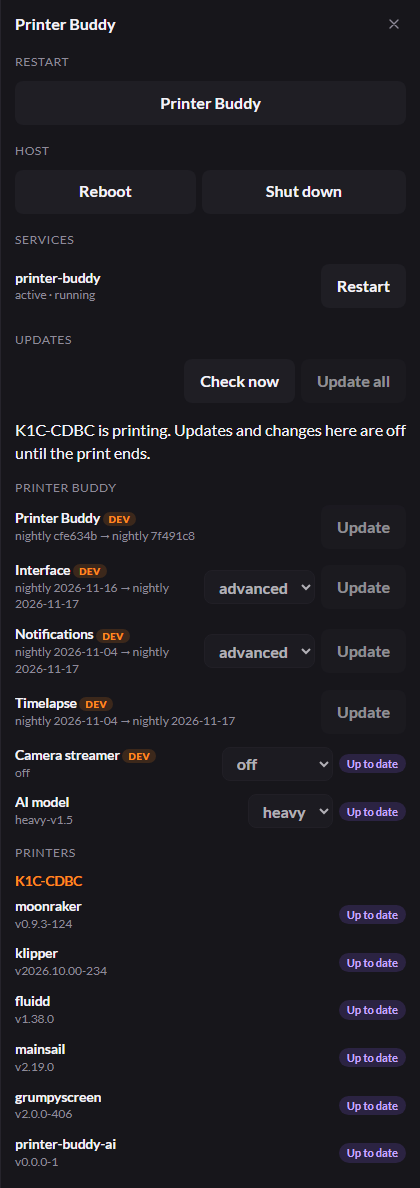
- Updates from the page. Each part updates on its own.
Get Printer Buddy
On a Pi or any Debian box on the same network as your printers. The guided installer does the rest.
View on GitHub$ git clone https://github.com/printer-buddy/printer-buddy.git
$ cd printer-buddy
$ ./install.shThen open http://<box-ip>:8080